IDs & documents6 min read
Redacting an ID card: the fields you should never share
A photo of an ID is a package of identity data. Here is what to cover, what to crop, and what to ask before you send a copy.
Published
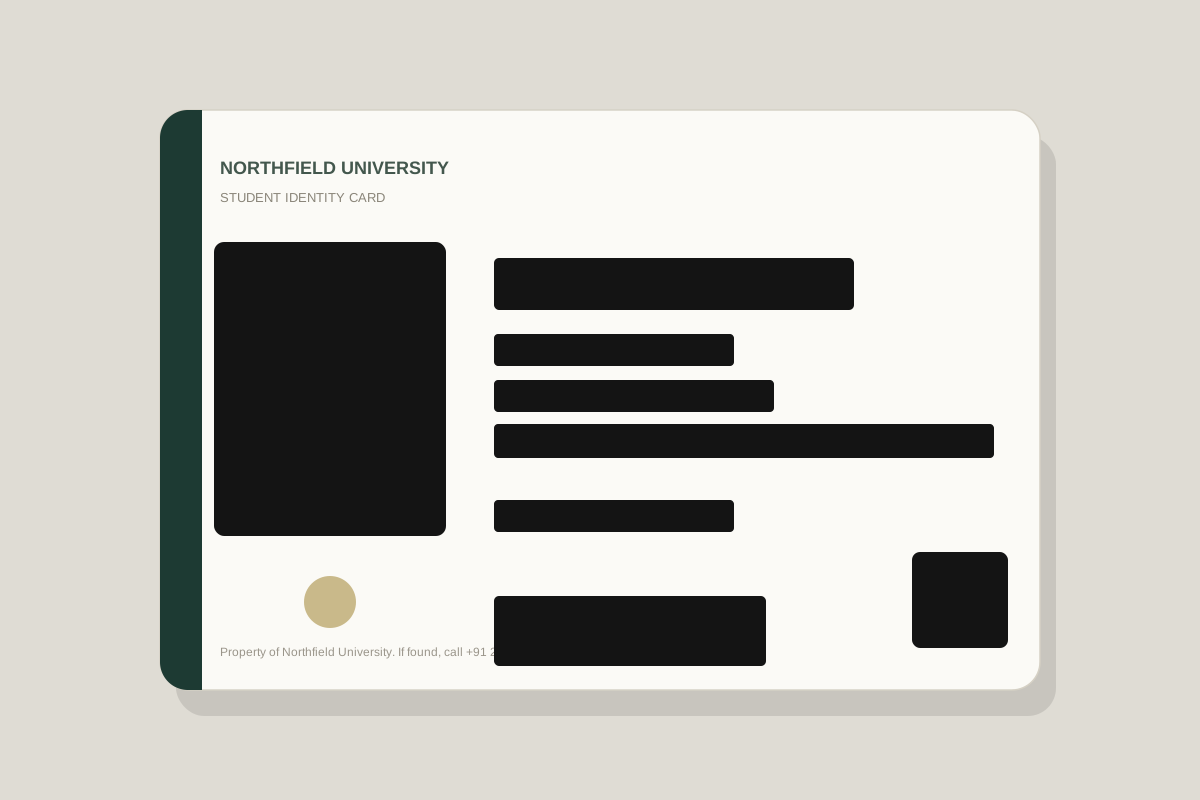
An ID card is designed to be read by machines and trusted by humans. That is exactly why a photo of one is so valuable to the wrong person.
Verification requests are common: renting a flat, opening an account, collecting a parcel, or proving a student discount. The request is often legitimate. The default response — sending a clean photo of the whole card — does not have to be.
Front and back both count
The back of an ID often carries a barcode, a machine-readable zone, a signature, or an address. Redacting only the front leaves a second copy of the same data. If you do not need the back, do not photograph it.
Cover these fields
- The ID number. It is the key that ties the card to databases and support systems.
- Date of birth. A core identity factor used in account recovery.
- Home address. Often enough to locate a person or answer security questions.
- The photograph. Biometric data deserves its own protection.
- Barcode, QR code, or machine-readable zone. These can encode the same fields in a form that is easy to copy.
- Signature and any handwritten marks.
- Expiry, issue date, and nationality when they are not needed for the check.
Your name alone is usually not the secret. The combination is. If a form needs to match a name, keep the name visible and cover everything that turns it into an identity record.
Crop to the minimum
Ask what the recipient actually needs. A hotel may need a name and the dates of stay. A utility company may need a name and service address. A support agent checking ownership may need only the card type and the last four digits of an account. A payslip or a utility bill is often a better fit than a full ID.
Use ink, not blur
ID cards are high-contrast documents with large text. Blur and pixelation are especially poor fits: the format is predictable, so partial shapes are easier to reconstruct. Use opaque boxes that extend slightly beyond each field.
Add context to the copy
If you need to write “for Acme verification, 20 October” on a copy, use your phone’s markup tool or a separate editor. This redaction tool does not add text yet. Keep the note away from the sensitive fields, and keep the original image private.
Before you hit send
- The ID number, date of birth, address, and signature are covered.
- Any barcode, QR code, or machine-readable zone is fully hidden.
- The photo is covered if the recipient does not need it.
- Both sides of the card have been checked.
- The exported image is the only version you have shared.
The short version
- Cover the ID number, date of birth, address, photo, and machine-readable codes.
- Ask what the recipient needs and crop to that.
- Use opaque ink, then verify and send only the redacted copy.
Put it into practice with a sample image.